

С помощью консольной программы GPResult.exe можно узнать, какие именно групповые политики Active Directory в данный момент действуют на конкретный компьютер (сервер) или пользователя. Она показывает список примененных политик, их параметры, а также сообщает об ошибках, если политика не сработала. Это основной инструмент, который используют системные администраторы, чтобы проверить настройки и понять, почему политика применилась или не применилась.
Запускаем GPResult выполняется на том компьютере, где нужно проверить применение групповых политик.
C:\WINDOWS\system32>GPRESULT /?
GPRESULT [/S system [/U username [/P [password]]]] [/SCOPE scope]
          [/USER targetusername] [/R | /V | /Z] [(/X | /H) <filename> [/F]]
Description:
   This command line tool displays the Resultant Set of Policy (RSoP)
   information for a target user and computer.
Parameter List:
   /S        system           Specifies the remote system to connect to.
   /U        [domain\]user    Specifies the user context under which the
                              command should run.
                              Can not be used with /X, /H.
   /P        [password]       Specifies the password for the given user
                              context. Prompts for input if omitted.
                              Cannot be used with /X, /H.
   /SCOPE    scope            Specifies whether the user or the
                              computer settings need to be displayed.
                              Valid values: "USER", "COMPUTER".
   /USER     [domain\]user    Specifies the user name for which the
                              RSoP data is to be displayed.
   /X        <filename>       Saves the report in XML format at the
                              location and with the file name specified
                              by the <filename> parameter. (valid in Windows
                              Vista SP1 and later and Windows Server 2008 and later)
   /H        <filename>       Saves the report in HTML format at the
                              location and with the file name specified by
                              the <filename> parameter. (valid in Windows
                              at least Vista SP1 and at least Windows Server 2008)
   /F                         Forces Gpresult to overwrite the file name
                              specified in the /X or /H command.
   /R                         Displays RSoP summary data.
   /V                         Specifies that verbose information should
                              be displayed. Verbose information provides
                              additional detailed settings that have
                              been applied with a precedence of 1.
   /Z                         Specifies that the super-verbose
                              information should be displayed. Super-
                              verbose information provides additional
                              detailed settings that have been applied
                              with a precedence of 1 and higher. This
                              allows you to see if a setting was set in
                              multiple places. See the Group Policy
                              online help topic for more information.
   /?                         Displays this help message.

Examples:
   GPRESULT /R
   GPRESULT /H GPReport.html
   GPRESULT /USER targetusername /V
   GPRESULT /S system /USER targetusername /SCOPE COMPUTER /Z
   GPRESULT /S system /U username /P password /SCOPE USER /V
В результате выполнения команды получим 2 части, для конфигурации компьютера и пользователя:
- COMPUTER SETTINGS
- USER SETTINGS
Атрибут /scope позволит вывести только политики пользователя или компьютера:
gpresult /r /scope:user
gpresult /r /scope:computer
Чтобы получить подробную информацию о групповых политиках, примененных к конкретному пользователю или компьютеру:
gpresult /rВ консоли не всегда удобно работать, результат можно вывести в файл:
gpresult /r > c:\gpresult.txtВ буфер обмена:
gpresult /r |clipСамый удобный вариант, на мой взгляд, в HTML:
gpresult /h C:\gpo_report.html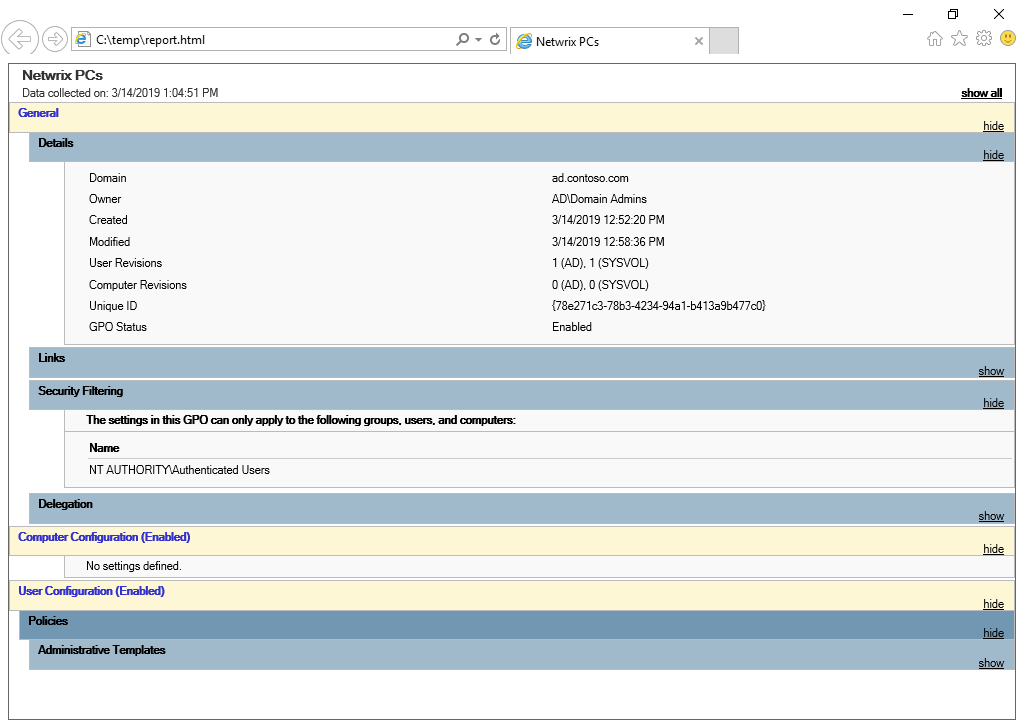
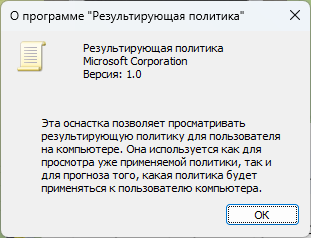
RSOP.MSC
В качестве альтернативы можно использовать оснастку RSOP.MSC.

RSOP.msc — оснастка в Windows, которая позволяет работать с результирующим набором групповых политик (Resultant Set of Policy, RSOP). Это инструмент для анализа настроек групповых политик, применённых к пользователю или компьютеру в домене Active Directory.
ВНИМАНИЕ: Начиная с Microsoft Windows Vista с пакетом обновления 1 (SP1), отчет результирующий набор политик (RSOP) не отображает все параметры групповой политики Майкрософт. Чтобы просмотреть полный набор параметров групповой политики Майкрософт, примененных для компьютера или пользователя, используйте средство командной строки gpresult.
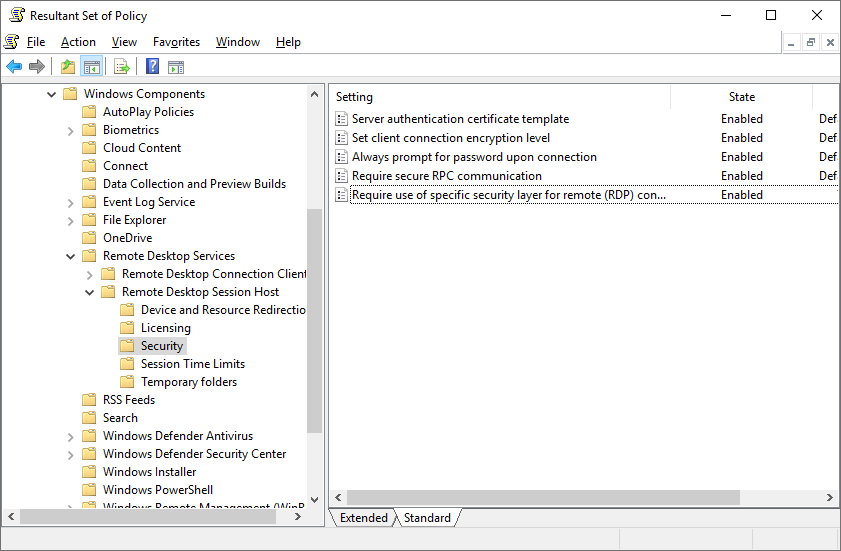
Если открыть политику в инструменте RSoP, то можно нажать на вкладку Приоритет и увидеть, в какой политике установлено это значение. В случае нескольких политик, политика вверху имеет больший приоритет и применяется.